
Internet Explorer has been retired by Microsoft. They are trying to get you to use Microsoft Edge, so on most machines if you try and open Internet Explorer, you will be redirected to Microsoft Edge.
In order to open some of our intranet pages, you may still need to use Internet Explorer.
If this is the case you can change a setting in Microsoft Edge, which will allow you to use Internet Explorer and not be redirected to Microsoft Edge.
This is a Quick Fix:
 Open Microsoft Edge:
on your taskbar at the bottom of your screen.
Go to Right-Hand corner and click on 3 dots:

Click on Settings
Click on Default Browser in the left column
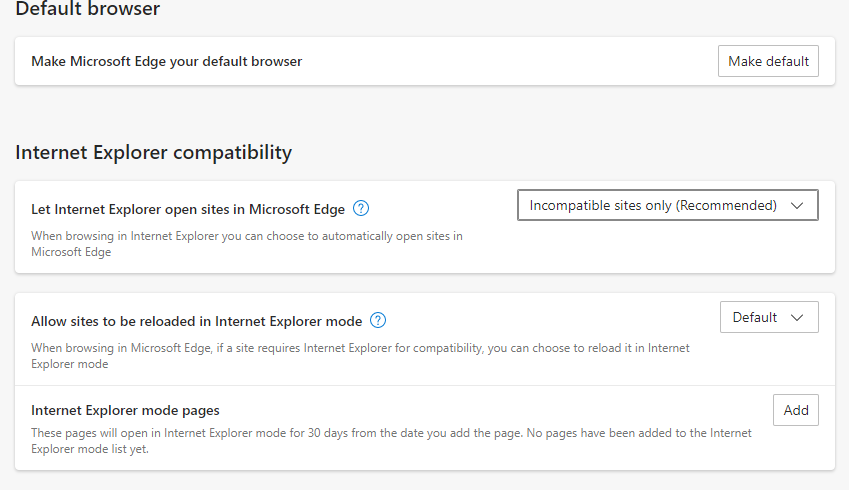
Under heading: Let Internet Explorer open sites in Microsoft Edge.
Click Drop Down Box and change to Incompatible sites only (Recommended)
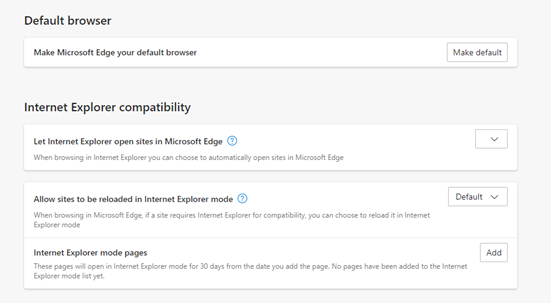
Once it shows in the box you can close the Edge Browser.
Comments
0 comments
Please sign in to leave a comment.